Overview
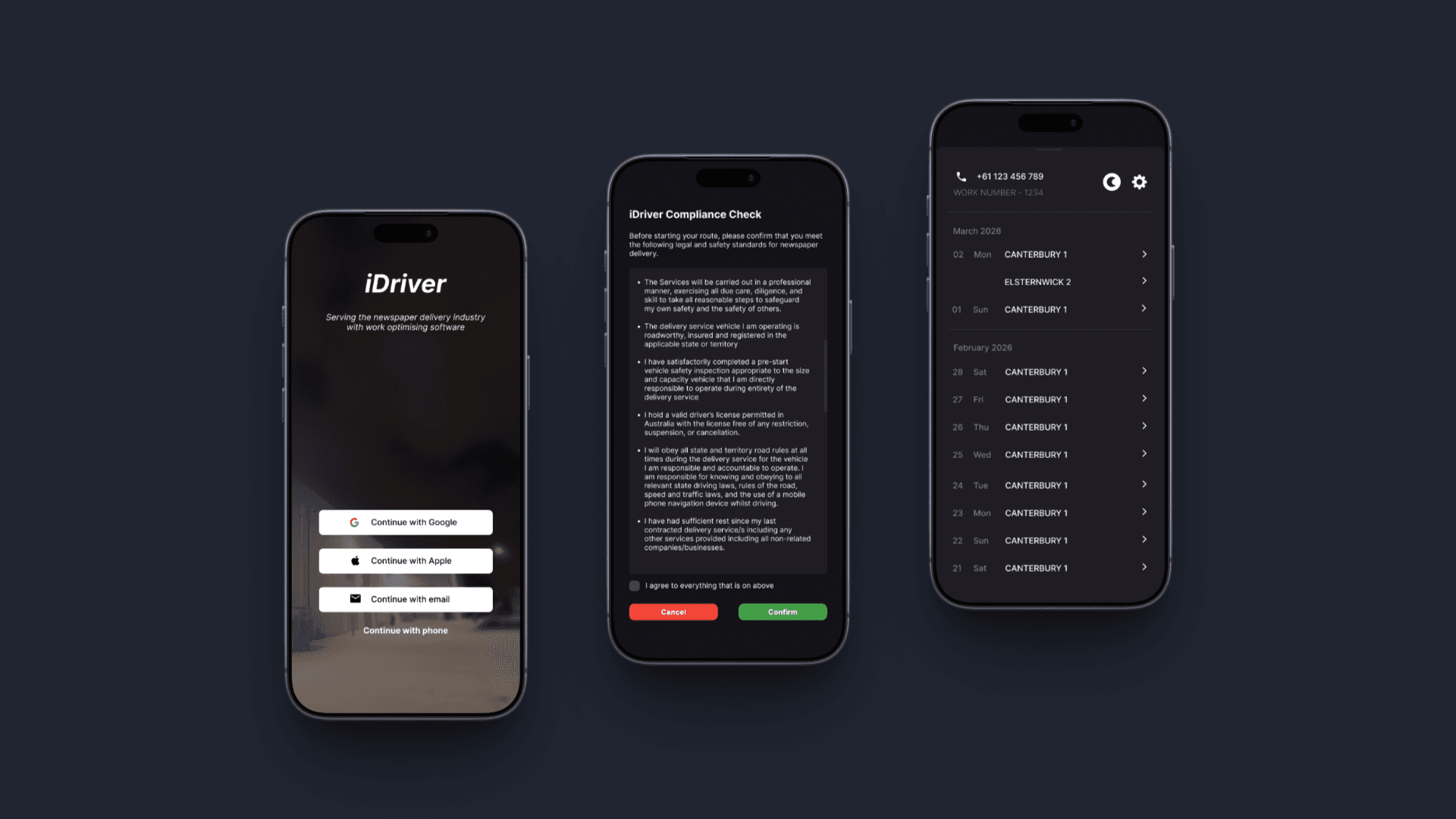
iDriver is a delivery app made specifically for newspaper delivery, helping drivers understand which suburbs and customer addresses have active subscriptions. The main challenge was that the experience and visual design felt outdated, required too many steps, and did not include several features that could make delivery easier. I wanted to modernise the app while adding practical tools that support drivers during their route. The goal was to make suburb access, address checking, and delivery status easier to understand. The final concept supports faster work, clearer route awareness, and a more confident delivery experience.
Empathize
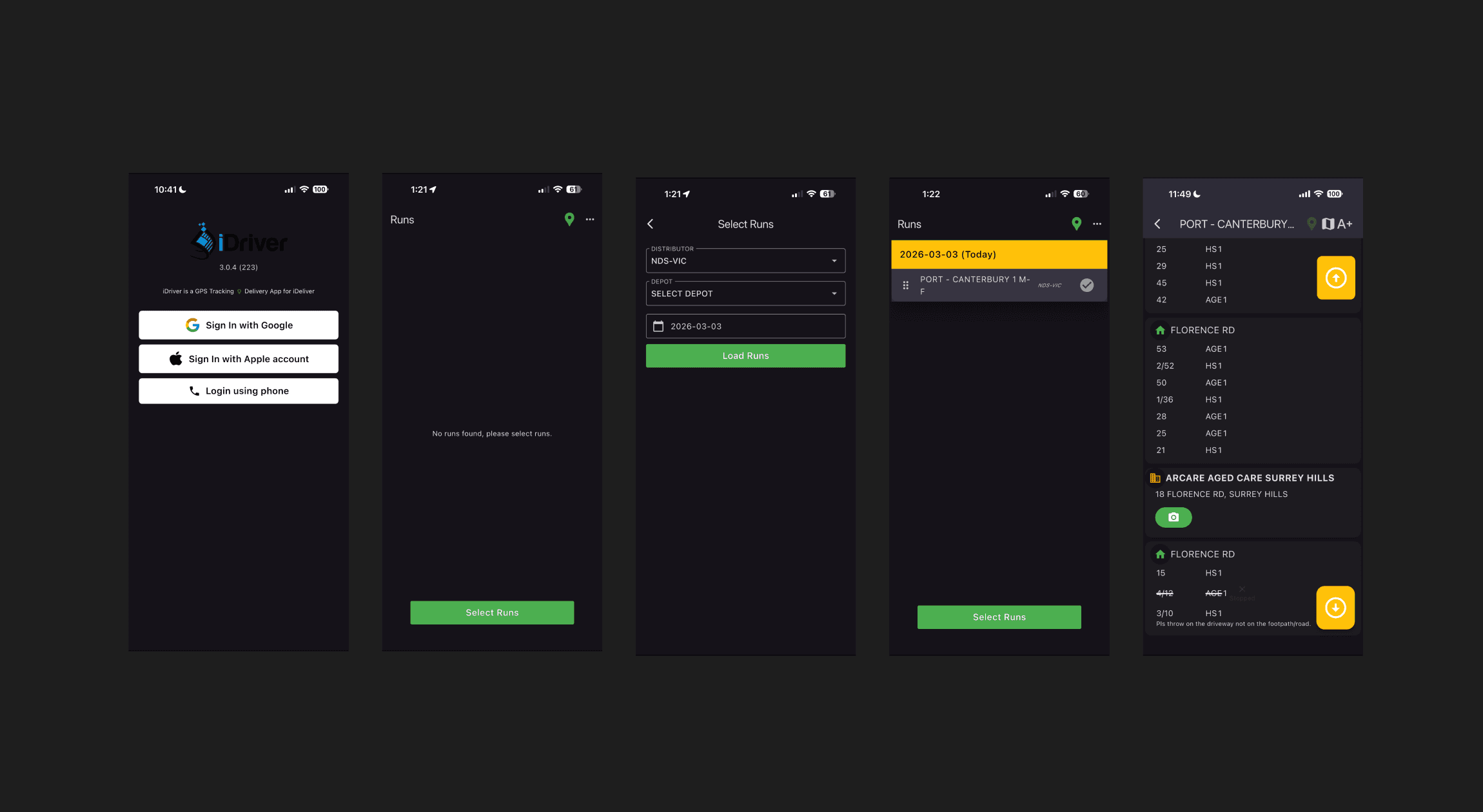
Each driver is assigned to different suburbs, but one issue with the app was that accessing those suburbs took more time than it should. Drivers also became confused when a customer required a delivery photo because the interface did not clearly show whether the photo belonged to the correct address. This created uncertainty during a task that should feel direct and reliable. I focused on understanding where drivers slowed down, where confusion happened, and what information needed to be visible at the right moment. These findings showed that the app needed clearer structure, better status feedback, and more confidence around proof of delivery.
Define
To define the problem, I needed to understand what drivers struggled to access, where they needed to go, what step they had to complete, and what they needed to deliver. The app had to support drivers before and during the route instead of making them search for basic information. I defined the main opportunity as improving task clarity once the access and navigation issues were solved. This meant identifying which features could reduce repeated effort and which features could give drivers more confidence. The design direction became focused on faster access, clearer instructions, and better delivery visibility.
Ideate
Because this is a delivery app, I explored how map navigation could work together with list views to help drivers understand their route better. One interesting insight was that drivers often become more comfortable using list view during the last two weeks of a run because they are already familiar with the area. I wanted the app to support both behaviours instead of forcing one navigation style. Adding package counts, route visibility, and delivered status would help drivers understand the situation faster. This strategy made the app more flexible for both new routes and familiar delivery routines.
Prototype
I used Figma to create the design flow from run selection to route checking. The prototype focused on making the app feel immediate, modern, and easier to understand from the first interaction. Small visual details mattered because the previous app did not use font, logo placement, buttons, and spacing in a consistent way. I redesigned these elements so the interface felt cleaner and more reliable during delivery. The prototype helped show how drivers could move through the app with fewer interruptions and clearer feedback.
Test
When I showed the designs to drivers, they could understand the flow faster from the start. They liked that they did not have to complete a compliance check every time they were about to log in. They also found it useful to see previous-day performance and appreciated having bright and dark mode available directly in the app. From their perspective, these additions made the app feel more practical and more pleasant to use. The feedback confirmed that the redesign improved access, reduced repeated steps, and made delivery work feel more confident.